
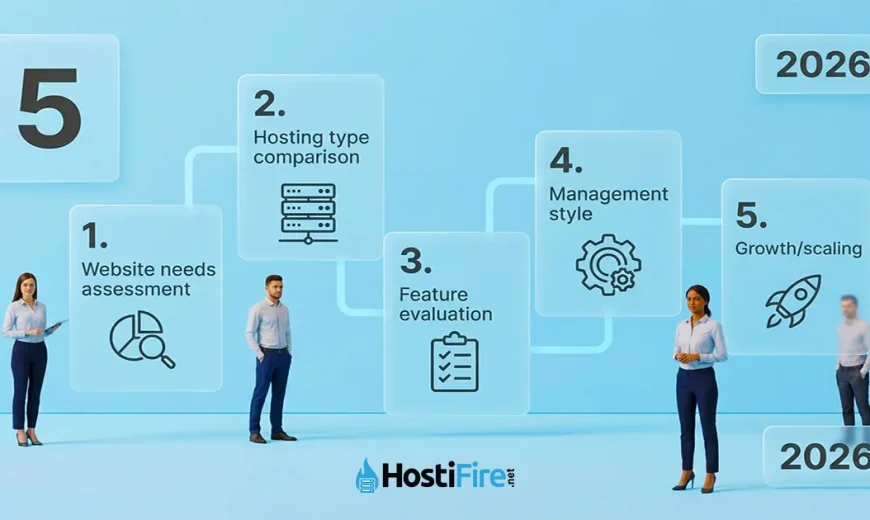
Choosing the right web hosting starts with understanding your website’s requirements, then matching them to the appropriate hosting type (shared, VPS, cloud, or dedicated). The decision involves evaluating uptime guarantees, support quality, scalability options, and whether you need managed or unmanaged hosting. This guide breaks down each decision into 5 clear steps.
Step 1: Assess Your Website’s Needs
Before comparing hosting providers, identify what your website actually requires. This assessment will guide every decision that follows.
Traffic Expectations
Your expected visitor count determines the resources you need:
- New or small sites (0-10,000 visitors/month): Shared hosting provides sufficient resources. A typical WordPress blog or small business site with minimal traffic runs perfectly on shared hosting at $1.50-$6.90/mo. For example, Hostifire’s Starter plan ($1.50/mo, 1 GB SSD, cPanel) handles up to 10,000 monthly visitors with room to spare.
- Growing sites (10,000-100,000 visitors/month): VPS hosting becomes necessary when traffic increases. Shared hosting resources become strained beyond 10,000 visitors, leading to slow load times and potential downtime. Hostifire’s Cloud VPS starts at $5.99/mo (1 vCPU, 512 MB RAM, 10 GB SSD, 500 GB transfer) and provides dedicated resources that scale with your traffic.
- High-traffic sites (100,000+ visitors/month): Dedicated servers or high-tier VPS plans handle enterprise-level traffic. E-commerce stores, membership sites, or content platforms with six-figure monthly traffic need the performance and resources only dedicated servers provide.
Storage Requirements
Different website types have vastly different storage needs:
- Informational sites and blogs (5-10 GB): Text content, basic images, and standard WordPress installations require minimal storage. Shared hosting plans easily accommodate this.
- E-commerce sites (20+ GB): Product catalogs with hundreds of images, customer databases, and transaction records demand more space. A mid-tier VPS or dedicated shared hosting plan works best.
- Media-heavy sites (50+ GB): Photography portfolios, video galleries, or podcast archives need substantial storage. Consider VPS or dedicated servers with larger SSD allocations.
Technical Stack Considerations
Your chosen technology stack limits your hosting options:
- WordPress or basic CMS platforms: Shared hosting with cPanel provides one-click installations and managed updates. Hostifire’s WordPress Hosting ($3.90/mo) includes one-click WP installation, free SSL, and domain privacy.
- Custom applications and APIs: Applications requiring root access, custom software installations, or specific server configurations need VPS or dedicated hosting. You cannot install custom Node.js versions, modify Apache configurations, or run background processes on shared hosting.
- Windows-specific applications: Software requiring Windows Server (ASP.NET applications, MSSQL databases, or Windows-only tools) needs Windows RDP or Windows VPS hosting. Linux-based shared or VPS hosting cannot run Windows applications. Hostifire’s Windows RDP plans start at $4.99/mo (RDP-1: 1 vCPU, 512 MB RAM, 10 GB SSD) for users running Windows-only applications like trading bots or development environments.
Step 2: Choose the Right Hosting Type
Four main hosting types serve different use cases and budgets. Understanding the differences helps you avoid overpaying for resources you don’t need or under-provisioning for your actual requirements.
Shared Hosting
What it is: Multiple websites share a single server’s CPU, RAM, and storage resources. One server hosts dozens or hundreds of sites simultaneously.
Best for: First-time site owners, personal blogs, small business websites, portfolio sites, and anyone on a tight budget.
Advantages:
- Lowest cost: $1.50-$6.90/mo makes shared hosting the most affordable option. Hostifire’s Starter plan at $1.50/mo includes cPanel, free SSL certificate, and DDoS protection — everything needed for a first website.
- Fully managed: The provider handles server updates, security patches, and technical maintenance. No technical knowledge required.
- Easy to use: cPanel or similar control panels provide graphical interfaces for email setup, file management, and database administration.
Limitations:
- Resource sharing: Your site competes with neighboring sites for CPU and RAM. If another site on your server experiences a traffic spike, your site may slow down.
- Limited control: No root access or ability to install custom software beyond what the control panel offers.
- Performance ceiling: Even top-tier shared hosting cannot match VPS performance under heavy load.
Hostifire example: The Starter plan ($1.50/mo, 1 GB SSD, supports 1 site) handles new WordPress blogs, while the Super plan ($6.90/mo, unlimited storage/sites/emails) accommodates small business sites managing multiple domains.
VPS Hosting
What it is: A virtual private server provides dedicated CPU, RAM, and storage carved from a physical server using virtualization. You get guaranteed resources not shared with other users.
Best for: Growing websites, developers requiring root access, sites with 10,000+ monthly visitors, and users running custom applications.
Advantages:
- Dedicated resources: Your allocated 512 MB RAM and 1 vCPU belong exclusively to you, providing consistent performance regardless of other users’ activity.
- Scalability: Upgrade to higher-tier plans (more CPU/RAM/storage) without migrating to a different hosting type.
- Root access: Full server control allows custom software installations, security configurations, and application deployments.
Limitations:
- Higher cost: VPS hosting costs $5.99-$15.99/mo — roughly 4× to 10× more than shared hosting.
- Technical knowledge: Unmanaged VPS requires command-line skills and server administration experience. Managed VPS options cost slightly more but handle updates and security.
Hostifire example: Cloud VPS plans range from VPS-1 at $5.99/mo (1 vCPU, 512 MB RAM, 10 GB SSD, 500 GB transfer) to VPS-4 at $15.99/mo (4 vCPU, 4 GB RAM, 60 GB SSD, 3 TB transfer). The entry VPS-1 plan provides 4× the cost of shared hosting but with guaranteed resources for growing sites.
Windows RDP Hosting
What it is: Remote Desktop Protocol access to a Windows Server environment. You get a full Windows desktop accessible from any device via RDP client.
Best for: Windows-specific applications, forex/crypto trading bots running 24/7, remote development/testing, and users requiring Windows desktop environments.
Advantages:
- Full Windows desktop: Run any Windows software as if on a local PC — install programs, access the registry, configure Windows services.
- 24/7 availability: Trading bots, scheduled tasks, and automated tools run continuously without keeping your personal computer powered on.
- Remote accessibility: Access your Windows environment from Mac, Linux, mobile, or any device with an RDP client.
Limitations:
- Windows-specific: Cannot host typical web applications expecting a Linux environment. Use Linux VPS for most web hosting needs.
- Resource allocation: RDP plans prioritize desktop performance over web server optimization.
Hostifire example: RDP-1 at $4.99/mo provides a budget-friendly Windows desktop for users running Windows-only applications like MetaTrader 4 trading bots, GSA Search Engine Ranker, or Windows development tools.
Dedicated Server
What it is: An entire physical server dedicated exclusively to your websites or applications. No virtualization, no sharing — the full hardware stack belongs to you.
Best for: High-traffic websites (100,000+ visitors/month), resource-intensive applications, enterprises requiring maximum performance and control, and organizations with compliance requirements.
Advantages:
- Maximum performance: All CPU cores, RAM, and storage exclusively serve your workloads. No “noisy neighbor” problems.
- Complete control: Full hardware and software control including BIOS access, custom kernel modules, and hardware RAID configurations.
- Predictable performance: No resource contention or virtualization overhead. Performance remains consistent under load.
Limitations:
- Significant cost: Dedicated servers range from $69.90-$199/mo — 46× to 132× more expensive than entry shared hosting.
- Management complexity: Unmanaged dedicated servers require extensive server administration skills. Managed options exist but cost more.
Hostifire example: Server-1 at $69.90/mo (Xeon E3, 16 GB RAM, 500 GB SATA + 240 GB SSD, 60% off lifetime) handles high-traffic WordPress sites or e-commerce platforms with 100,000+ monthly visitors. The top-tier dedicated server at $199/mo (Xeon E5, 64 GB RAM, 2 TB SATA + 480 GB SSD) serves enterprise applications and large-scale databases.
Hosting Type Comparison
| Feature | Shared Hosting | VPS Hosting | Dedicated Server |
|---|---|---|---|
| Price range | $1.50-$6.90/mo | $5.99-$15.99/mo | $69.90-$199/mo |
| CPU/RAM | Shared resources | Dedicated (512 MB-4 GB RAM) | Full server (16-64 GB RAM) |
| Best for | New sites, blogs, portfolios | Growing sites, developers | High-traffic, enterprises |
| Management | Fully managed | Managed or self-managed | Managed or self-managed |
| Scalability | Limited (upgrade plans) | High (scale up resources) | Maximum (dedicated hardware) |
| Root access | No | Yes | Yes |
| Performance | Variable (shared) | Consistent (dedicated resources) | Maximum (no virtualization) |
Step 3: Evaluate Key Features
Price and hosting type matter, but specific features determine reliability and long-term satisfaction.
Uptime Guarantee
Uptime measures the percentage of time your website remains accessible. Small percentage differences translate to massive downtime gaps:
- 99.9% uptime guarantee: Allows 8.76 hours of downtime per year (365 days × 24 hours × 0.1% = 8.76 hours)
- 99.99% uptime guarantee: Allows only 52.6 minutes of downtime per year (365 days × 24 hours × 0.01% = 52.56 minutes)
The difference between 99.9% and 99.99% means 8 hours versus 53 minutes of annual downtime. For e-commerce sites, every minute of downtime represents lost revenue. According to Gartner’s research, the average cost of IT downtime is $5,600 per minute for enterprises — making uptime guarantees critical for business sites.
Hostifire guarantees 99.99% uptime — 52 minutes of potential downtime per year versus 8 hours with a 99.9% guarantee. This four-nines standard matches enterprise-grade hosting expectations.
Customer Support
Website emergencies happen at inconvenient times. Support availability and quality matter more during a site outage at 2 AM than during business hours.
Look for:
- 24/7 availability: Round-the-clock support via live chat, phone, or ticket system. Hostifire provides 24/7 support through live chat (Crisp) and ticketing.
- Response time commitments: Premium hosts guarantee first-response times (15 minutes for critical issues, 1 hour for non-critical).
- Technical expertise: Support staff who understand server configurations, not just basic billing questions.
SSL Certificates
HTTPS encryption via SSL certificates serves two critical purposes:
- Security: Encrypts data transmitted between visitors and your server, protecting passwords, payment information, and personal data.
- SEO ranking factor: Google confirmed in 2014 that HTTPS is a ranking signal — sites using SSL receive a small ranking boost over non-HTTPS sites.
Free SSL certificates (Let’s Encrypt) provide the same encryption as paid certificates for most websites. Paid certificates offer additional features like extended validation (EV) certificates displaying company names in browser address bars, but these matter primarily for large e-commerce platforms and financial institutions.
Hostifire includes free SSL certificates with all shared and VPS plans, eliminating the $50-$200/year cost of purchasing certificates separately.
Backups
Data loss happens. Hard drives fail, hackers delete files, or you accidentally overwrite important databases. Backup policies determine whether you lose everything or restore quickly.
Evaluate:
- Backup frequency: Daily automated backups minimize data loss (maximum 24 hours of lost content). Weekly backups risk losing up to 7 days of work.
- Retention period: How long does the host keep backup copies? 7-day retention allows recovery from issues discovered days later; 24-hour retention only helps for immediate problems.
- Restore process: Can you restore backups yourself via control panel, or must you contact support and wait hours for manual restoration?
Security Features
Website security involves multiple layers of protection:
- DDoS protection: Distributed Denial of Service attacks overwhelm servers with fake traffic. Built-in DDoS mitigation (included in all Hostifire plans) filters malicious traffic before it reaches your site.
- Firewall: Web application firewalls (WAF) block common exploits like SQL injection and cross-site scripting attacks.
- Malware scanning: Automated malware detection identifies compromised files before search engines blacklist your site.
Budget hosting often skips advanced security, making DDoS protection and firewall inclusion at entry-level pricing a meaningful differentiator.
Step 4: Managed vs. Unmanaged Hosting
The managed versus unmanaged decision determines who handles server maintenance, security updates, and technical troubleshooting.
Managed Hosting
What it includes: The hosting provider handles server setup, operating system updates, security patches, monitoring, and first-line troubleshooting. You focus on your website content while the host maintains the underlying infrastructure.
Best for:
- Beginners with limited technical knowledge
- Business owners wanting to focus on their business rather than server management
- Organizations without dedicated IT staff
Advantages:
- No technical skills required: The provider’s team handles command-line operations, configuration files, and security hardening.
- Faster issue resolution: Managed hosting support teams know the exact server configuration and can troubleshoot problems faster than generic support.
- Automatic updates: Security patches and software updates apply automatically, closing vulnerabilities before exploitation.
Trade-offs:
- Slightly higher cost: Managed services add $2-$5/mo to VPS pricing compared to unmanaged options.
- Less customization: Providers may restrict certain configurations or software installations to maintain security standards.
Hostifire approach: Shared hosting and WordPress hosting are fully managed — Hostifire handles server updates, security patches, and cPanel setup. You never interact with command-line servers.
Unmanaged Hosting
What it includes: You receive a server with a base operating system installation. Everything else — security hardening, software installation, update management, backup configuration — becomes your responsibility.
Best for:
- Developers and system administrators with server management experience
- Users requiring custom software configurations unavailable in managed environments
- Organizations with in-house IT teams
Advantages:
- Full root access and control: Install any software, modify any configuration file, run custom services.
- Lower cost: Unmanaged VPS hosting costs less because you provide the labor the host would otherwise charge for.
- Custom configurations: Optimize every aspect of server performance for your specific application needs.
Trade-offs:
- Requires technical expertise: You must understand Linux/Windows server administration, security best practices, and troubleshooting.
- Time investment: Monitoring server health, applying updates, and handling security incidents takes ongoing time.
- Security responsibility: Unpatched servers become hacking targets. The responsibility for security hardening falls entirely on you.
Making the Choice
Choose managed hosting if:
- You lack server administration experience
- Your time is better spent on business operations than server maintenance
- You want someone else handling security updates and backups
Choose unmanaged hosting if:
- You have Linux/Windows server administration skills
- You need custom server configurations unavailable in managed environments
- You can commit time to ongoing server maintenance and monitoring
Most shared hosting customers should stick with managed plans. VPS and dedicated server customers should honestly assess their technical skills — unmanaged servers save money but require significant expertise.
Step 5: Plan for Scalability
Websites grow. Planning for growth from day one prevents painful migrations later.
Start Small, Upgrade Strategically
Beginning with more resources than you currently need wastes money. Instead, start with appropriate hosting for your current traffic and upgrade when specific thresholds trigger:
- Shared to VPS: Upgrade when monthly traffic consistently exceeds 10,000 visitors, load times slow during traffic spikes, or you need features shared hosting cannot provide (custom software installations, root access).
- VPS to higher-tier VPS: Monitor CPU and RAM usage. When you regularly consume 80%+ of allocated resources during normal operation, upgrade to the next VPS tier for additional CPU cores and RAM.
- VPS to dedicated server: Make the jump when VPS resource limits constrain your application, you need maximum performance, or your traffic reaches 100,000+ monthly visitors. The 7 signs you need to upgrade from shared hosting to VPS guide details specific upgrade triggers.
The Hostifire Scaling Path
Hostifire’s complete product range allows seamless scaling without changing providers:
- Start: Shared hosting at $1.50/mo (Starter plan)
- Grow: Cloud VPS hosting at $5.99/mo (VPS-1) when traffic increases
- Scale: Higher VPS tiers ($9.99-$15.99/mo) as resources needs grow
- Enterprise: Dedicated servers at $69.90-$199/mo for high-traffic applications
This progression lets you start small and scale up without the complexity of migrating to a different hosting company. Staying with one provider maintains consistency in support, control panel interfaces, and billing.
Migration Considerations
If you must migrate to a different host or hosting type:
- Downtime: DNS propagation takes 24-48 hours during migrations. Plan migrations during low-traffic periods and set low TTL values beforehand to minimize downtime.
- Data transfer: Moving large databases or media libraries requires adequate bandwidth and time. A 50 GB site migration might take several hours depending on connection speeds.
- Testing: Set up the new hosting environment, migrate files and databases, then test thoroughly before updating DNS. Broken migrations mean extended downtime.
The how to migrate your website to a new hosting provider step-by-step guide walks through the entire migration process with detailed instructions.
Frequently Asked Questions
What is the difference between shared hosting and VPS hosting?
Shared hosting means multiple websites share one server’s resources (CPU, RAM, storage), making it the cheapest option at $1.50-$6.90/mo but with variable performance. VPS hosting provides dedicated resources on a virtual private server, offering consistent performance and scalability at $5.99-$15.99/mo — ideal for growing sites or developers needing guaranteed resources. Shared hosting suits new sites and blogs; VPS handles traffic growth and custom applications.
How much does web hosting cost per month?
Web hosting costs range from $1.50/mo for basic shared hosting to $199/mo for enterprise dedicated servers. Shared hosting ($1.50-$6.90/mo) serves new sites and blogs. VPS hosting ($5.99-$15.99/mo) handles growing sites with 10,000+ visitors. Windows RDP hosting ($4.99-$19.99/mo) provides Windows desktop environments. Dedicated servers ($69.90-$199/mo) serve high-traffic sites with 100,000+ monthly visitors. Your specific cost depends on traffic, storage needs, and required features.
Do I need a dedicated server for my website?
Most websites do not need dedicated servers. Shared hosting serves sites with under 10,000 monthly visitors. VPS hosting handles growing sites up to 100,000 visitors. You need a dedicated server only when traffic consistently exceeds 100,000 monthly visitors, your application requires maximum performance, or you run resource-intensive operations like large databases or video streaming. Dedicated servers cost $69.90-$199/mo — significantly more than shared ($1.50-$6.90/mo) or VPS ($5.99-$15.99/mo) hosting. Start smaller and upgrade when traffic demands it.
What is a 99.99% uptime guarantee?
A 99.99% uptime guarantee means your website will be accessible 99.99% of the time annually, allowing only 52.6 minutes of downtime per year. This differs significantly from 99.9% uptime (8.76 hours annual downtime) — the extra “9” reduces permitted downtime by 87%. For business websites and e-commerce stores, every minute of downtime represents lost revenue and damaged trust. Look for providers offering 99.99% guarantees backed by service level agreements (SLAs) with compensation for exceeding downtime limits.
Should I choose managed or unmanaged hosting?
Choose managed hosting if you lack server administration experience or want to focus on your business rather than server maintenance. The provider handles updates, security patches, and monitoring. Choose unmanaged hosting if you have technical skills and need custom server configurations. Managed hosting costs slightly more ($2-$5/mo additional for VPS) but eliminates the time investment and expertise required for server management. Most shared hosting users should select managed plans; VPS and dedicated server customers should honestly assess their technical capabilities.
Can I upgrade my hosting plan later?
Yes, upgrading hosting plans is standard practice as websites grow. Start with shared hosting ($1.50-$6.90/mo) for new sites, then upgrade to VPS ($5.99-$15.99/mo) when traffic exceeds 10,000 monthly visitors or you need dedicated resources. Upgrade to dedicated servers ($69.90-$199/mo) for high-traffic sites. Choosing a provider with clear upgrade paths — shared to VPS to dedicated — lets you scale seamlessly without migrating to a different company. Hostifire’s full product range allows upgrades within the same hosting environment.
Is free SSL included with web hosting?
Many hosts now include free SSL certificates with hosting plans, eliminating the $50-$200/year cost of purchasing certificates separately. Free SSL certificates (typically Let’s Encrypt) provide the same encryption as paid certificates for most websites. Hostifire includes free SSL with all shared and VPS plans. SSL certificates are essential for website security (encrypting data transmission) and SEO (Google confirmed HTTPS as a ranking factor). Verify SSL inclusion before purchasing hosting to avoid unexpected costs.
How do I know when to upgrade from shared to VPS hosting?
Upgrade from shared to VPS hosting when: (1) Monthly traffic consistently exceeds 10,000 visitors, causing slow load times during spikes; (2) You need features unavailable on shared hosting (root access, custom software, specific server configurations); (3) Resource limits cause site slowdowns or errors; (4) You’re running an e-commerce store requiring consistent performance. The Linux VPS vs Windows VPS guide explains different VPS options. Hostifire’s VPS-1 plan at $5.99/mo provides an affordable upgrade path from shared hosting.
Ready to Choose Your Hosting?
Hostifire offers hosting for every stage of your website’s growth — from $1.50/mo shared hosting for new sites to $69.90/mo dedicated servers for high-traffic businesses. All plans include 99.99% uptime guarantee, free SSL certificates, DDoS protection, and 24/7 support. Start with the plan matching your current needs and upgrade seamlessly as you grow.
Sources
- Gartner: Average Cost of IT Downtime — Cost analysis of downtime for enterprises
- Google Search Central: HTTPS as a Ranking Signal — Official confirmation of SSL as SEO ranking factor
- NIST SP 800-123: Guide to General Server Security — Server security best practices and hardening guidelines
- W3Techs: Usage Statistics of Content Management Systems — WordPress and CMS market share data
- Cloudflare: Understanding DDoS Attacks — DDoS attack explanation and mitigation strategies